Nio
Nio Public User Manual
Nio is an AI operator for developers. It helps you understand projects, remember context, resume unfinished work, and safely assist with coding tasks.
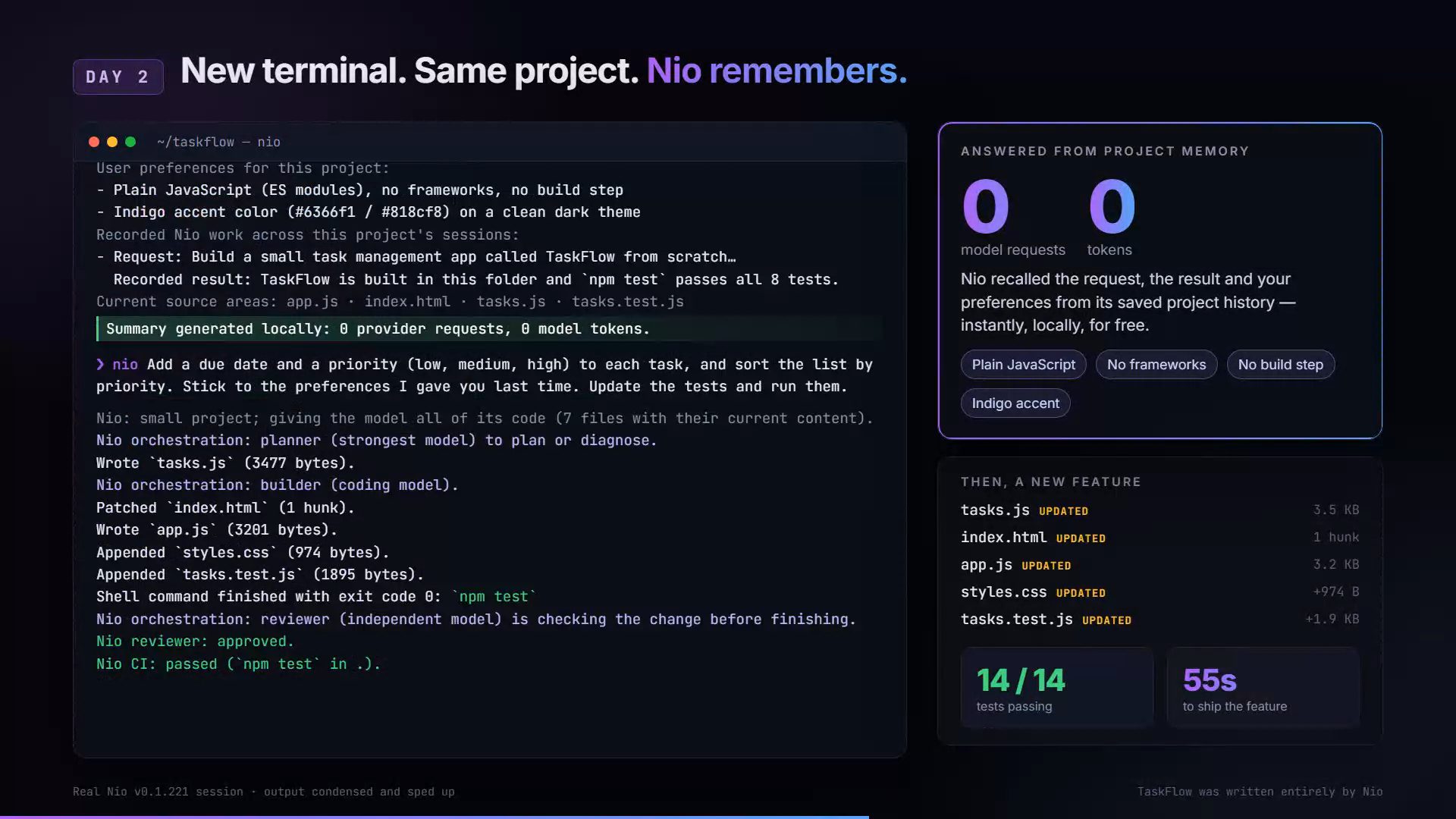
Why Nio: watch the 70-second demo and see the benchmarks →
Nio’s workflow is:
analyze -> recall -> plan -> execute -> remember
Nio can work through the hosted gateway at nioai.run, or locally with your own provider keys if your plan supports BYOK.
How Nio compares
On October 5, 2026 we gave the same coding task to eight models, through Nio and as a direct call to the provider. Nio produced a complete app in 7 of 12 attempts; direct calls produced one in 1 of 12. Nio costs more per attempt and is slower, and on small models it showed no advantage. Full results and method.
On October 6, 2026, v0.1.210 raised the average score on four benchmark tasks from 70 to 81 over v0.1.209 and lowered Nio’s API cost by 15%. v0.1.210 vs v0.1.209.
On October 15, 2026, v0.1.236 halved the cost per finished task, from $0.47 to $0.23, with every run still passing its checks, an independent review and the build. A direct model call is still cheaper for a small app built from scratch. v0.1.236 cost per task.
For the full picture, with the promo video, see Why Nio (also as a web page: why-nio.html).
Use Nio from ChatGPT, Claude and AI agents
Connect any remote MCP client to https://nioai.run/mcp to use your Nio memory, and run nio connect on your computer to hand it project tasks. Setup for each client: remote MCP guide.
Install Nio
Download the latest release. Current stable release: Nio v0.1.240.
| Platform | Download |
|---|---|
| Windows x64 | MSI installer / Portable ZIP |
| macOS Apple Silicon | Archive |
| Linux x64 | Archive |
| VS Code | Extension v0.1.240 |
SHA-256 checksum files are available alongside the native packages on the release
page. The same v0.1.240 packages, each with its .sha256 file, are also in this
repository: Windows/, MacOs/, Linux/, the
installers nio-installer.ps1 and nio-installer.sh,
and the VS Code extension nio-vscode-v0.1.240.vsix.
macOS / Linux installer:
curl --proto '=https' --tlsv1.2 -LsSf https://github.com/luisMan/Nio/releases/latest/download/nio-installer.sh | sh
Windows PowerShell installer:
irm https://github.com/luisMan/Nio/releases/latest/download/nio-installer.ps1 | iex
On Apple Silicon macOS, install Homebrew OpenSSL 3 if Nio reports
libssl.3.dylib is missing:
brew install openssl@3
Verify installation:
nio --version
nio status
First-Time Setup
Run:
nio setup
This prepares your local Nio configuration, runtime folder, permissions, and default settings.
Recommended Windows runtime location:
%APPDATA%\Nio
Account Login
If you are using hosted Nio, log in with the credentials or token provided by Nio:
nio auth-login <user_id> <token>
If registration is available from your build:
nio auth-register <email> <password> <display_name>
Hosted Mode
Hosted mode is the easiest way to use Nio.
Use hosted mode if you are on:
Free
Pro
Team
In hosted mode:
- Nio authenticates through
nioai.run. - AI requests go through the hosted gateway.
- You do not need local OpenAI or Anthropic keys.
- Usage limits are handled by your plan.
Client Profile Configuration
Packaged Nio clients can use a client profile similar to config/profiles/client.env.
For hosted users, the most important values are:
LOG_LEVEL=info

# Nio account key - obtain from https://nioai.run/account
# Free, Pro, Team, and SSO users set this to route through the Nio gateway.
# Leave empty only if using BYOK with local OPENAI_API_KEY or ANTHROPIC_API_KEY.
NIO_API_KEY=

NIO_GATEWAY_BASE_URL=https://nioai.run/v1
NIO_DEFAULT_PERMISSION_MODE=permission_request
NIO_SYNC_SESSION_ON_EXIT=true

NIO_MEMORY_SHORT_TERM_BACKEND=in_memory
NIO_MEMORY_MID_TERM_BACKEND=in_memory
NIO_MEMORY_LONG_TERM_BACKEND=in_memory
Full public client profile example:
LOG_LEVEL=info

# Nio account key - obtain from https://nioai.run/account
# Free, Pro, Team, and SSO users set this to route through the Nio gateway.
# Leave empty only if using BYOK with local OPENAI_API_KEY or ANTHROPIC_API_KEY.
NIO_API_KEY=

NIO_ROUTING_CONFIG_PATH=data/runtime/model-routing.json
NIO_ROUTING_STATE_BACKEND=file
NIO_ROUTING_AUTO_RELOAD=false
NIO_ROUTING_SIGNAL_REDIS_PUBSUB=false

NIO_AUDIT_LOG_PATH=data/audit/audit-log.jsonl
NIO_AUDIT_BACKEND=file

NIO_DEFAULT_PERMISSION_MODE=permission_request
NIO_SYNC_SESSION_ON_EXIT=true

NIO_MEMORY_SHORT_TERM_BACKEND=in_memory
NIO_MEMORY_MID_TERM_BACKEND=in_memory
NIO_MEMORY_LONG_TERM_BACKEND=in_memory

NIO_BUDGET_USER_REQUESTS_PER_MONTH=5000
NIO_BUDGET_USER_TOKENS_PER_MONTH=2000000
NIO_BUDGET_WORKSPACE_REQUESTS_PER_MONTH=5000
NIO_BUDGET_WORKSPACE_TOKENS_PER_MONTH=2000000

NIO_LOCAL_GPU_BASE_URL=
NIO_LOCAL_GPU_MODEL=qwen2.5-32b-instruct

NIO_GATEWAY_BASE_URL=https://nioai.run/v1
NIO_ALLOW_CLIENT_USAGE_RESET_ON_SYNC=true
Most hosted users should only need NIO_API_KEY and NIO_GATEWAY_BASE_URL. The other defaults are included so advanced users can inspect or customize their local runtime behavior.
BYOK Mode
BYOK means “bring your own key.”
Use BYOK if your plan allows you to keep provider keys on your own machine.
Nio reads local keys from your Nio runtime folder:
%NIO_HOME%\.env
OpenAI example:
OPENAI_API_KEY=sk-...
Anthropic example:
ANTHROPIC_API_KEY=sk-ant-...
Local model server example:
NIO_LOCAL_GPU_BASE_URL=http://127.0.0.1:11434
NIO_LOCAL_GPU_MODEL=qwen2.5-32b-instruct
After adding keys, verify providers:
nio smoke-providers
Start Nio
Interactive CLI:
nio
Terminal cockpit:
nio tui
Run Nio from inside a project folder when you want project-aware help:
cd path\to\your\project
nio
Good First Prompts
Try:
Read this project and explain how to run it locally.
Summarize the architecture of this codebase.
Find likely bugs or missing setup steps.
Create a task plan before editing any files.
Help me implement this change, but ask before modifying files.
Common Commands
Check runtime status:
nio status
Run diagnostics:
nio doctor
Show current task state:
nio task
Show recommended next steps:
nio next-steps
Show permissions, routing, provider, and trust status:
nio trust
Open the full terminal interface:
nio tui
Start the MCP server:
nio mcp
Working With Projects
When you run Nio inside a project folder, it can help with:
- Explaining files
- Reviewing code
- Creating task plans
- Editing project files
- Running commands
- Starting development servers
- Debugging errors
- Resuming unfinished work
Example:
Inspect this project and tell me the safest next step.
Example:
Implement the first item in task.md and ask before changing files.
Permissions
Nio is designed to keep users in control.
Recommended public default:
permission_request
This means Nio can reason, plan, and explain freely, but should ask before changing files or running sensitive actions.
If Nio asks for permission, review the action before approving it.
Resume And Recovery
Nio tracks active work so you can recover from interruptions.
Show current activity:
nio task
Inside interactive mode, use:
/continue
to continue interrupted work.
Use:
/revise <new instruction>
to redirect the current task.
Use:
/stop
to cancel the current task.
Use:
/task
to view current task status.
Background Processes
If Nio starts a server or background command, list active processes:
nio processes
View logs:
nio process logs <id|pid>
Stop a process:
nio process stop <id|pid>
Hosted Gateway Settings
Hosted users normally do not need to edit these manually.
If instructed by support, the hosted gateway URL is:
NIO_GATEWAY_BASE_URL=https://nioai.run/v1
If token auth is required:
NIO_AUTH_TOKEN=<your-token>
Local Files Nio Uses
Nio uses NIO_HOME as its runtime home.
Important local files may include:
%NIO_HOME%\.env
%NIO_HOME%\data\runtime\providers.json
%NIO_HOME%\data\runtime\billing.json
%NIO_HOME%\data\runtime\auth-sessions.json
For most hosted users, you should not need to edit these manually.
Security Notes
For public MVP users:
- Keep
NIO_HOMEinside your user profile. - Do not commit
.envfiles to git. - Do not share provider keys.
- Do not store Nio config in a shared folder.
- Use
permission_requestunless you fully trust the workspace. - Review file changes before approving them.
- Hosted users do not need local provider keys.
BYOK provider keys are stored locally in plain text today, so protect your machine account.
Troubleshooting
If Nio is not working, run:
nio status
nio doctor
If Nio cannot reach a provider in BYOK mode:
nio smoke-providers
If Nio seems stuck:
nio task
Then use one of:
/continue
/revise <new instruction>
/stop
If hosted login or gateway access fails, check:
Your login token
Your internet connection
NIO_GATEWAY_BASE_URL
Recommended First Demo
- Install Nio.
-
Run:
nio setup nio status nio doctor -
Open a project:
cd path\to\project nio -
Ask:
Read this project and explain how to run it locally. -
Ask:
Create a safe task plan for improving this project. -
Ask:
Implement the first task, but ask before changing files. -
Check task state:
nio task -
Check trust state:
nio trust
This demonstrates Nio’s core value: project awareness, memory, permissioned execution, and resumable work.